
Supabase Setup Guide
Set up your own cloud database in minutes. Your data, your control.
Why Self-Hosted Cloud
Your Data
GPS data lives on your own database. We never see or store it.
No Vendor Lock-in
Supabase is open-source. Export your data anytime. Switch providers freely.
No Extra Cost
Supabase's free tier covers most personal use. No monthly fees on top of your Cloud Unlock.
Before you start
You need the JizaiLog app installed and a free account created. Cloud sync is a paid feature (¥1,500 one-time) available as an in-app purchase.
Create a Supabase Project
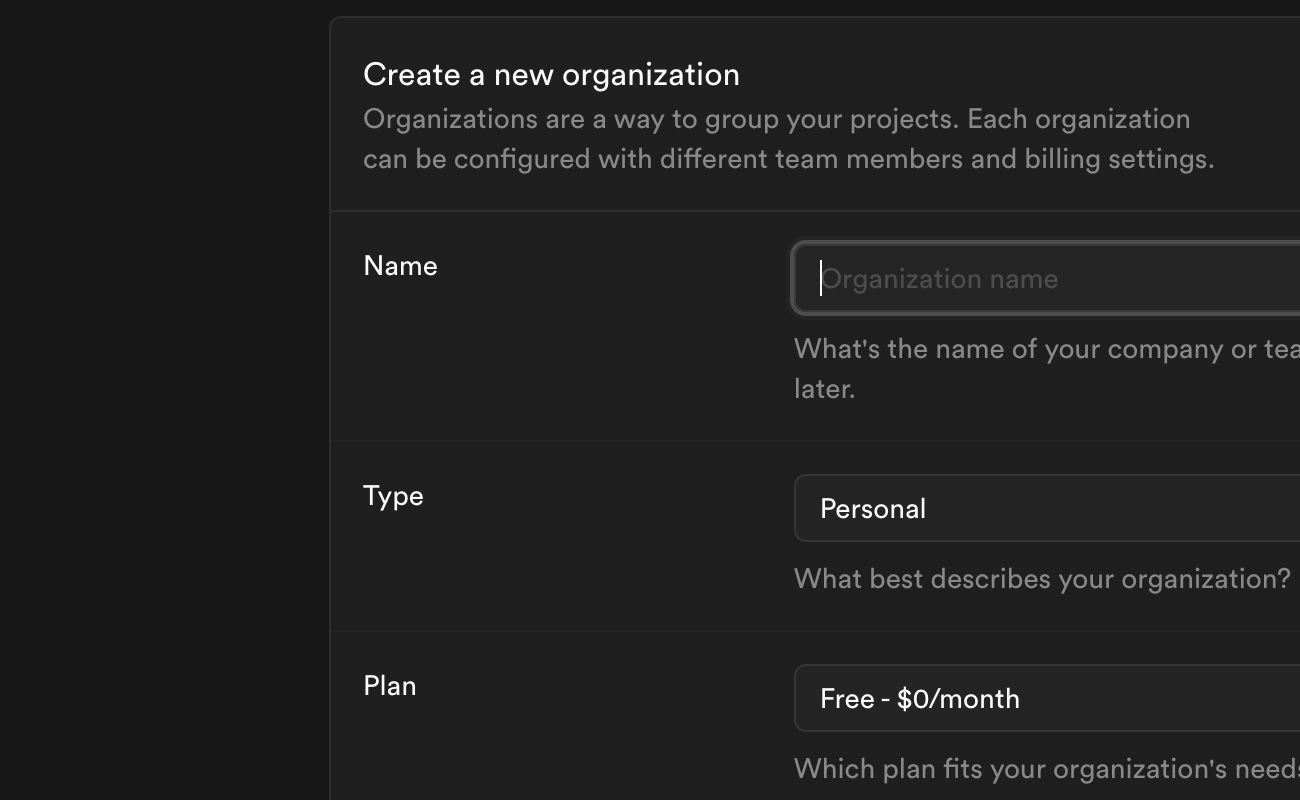
- Go to supabase.com and sign up for a free account.
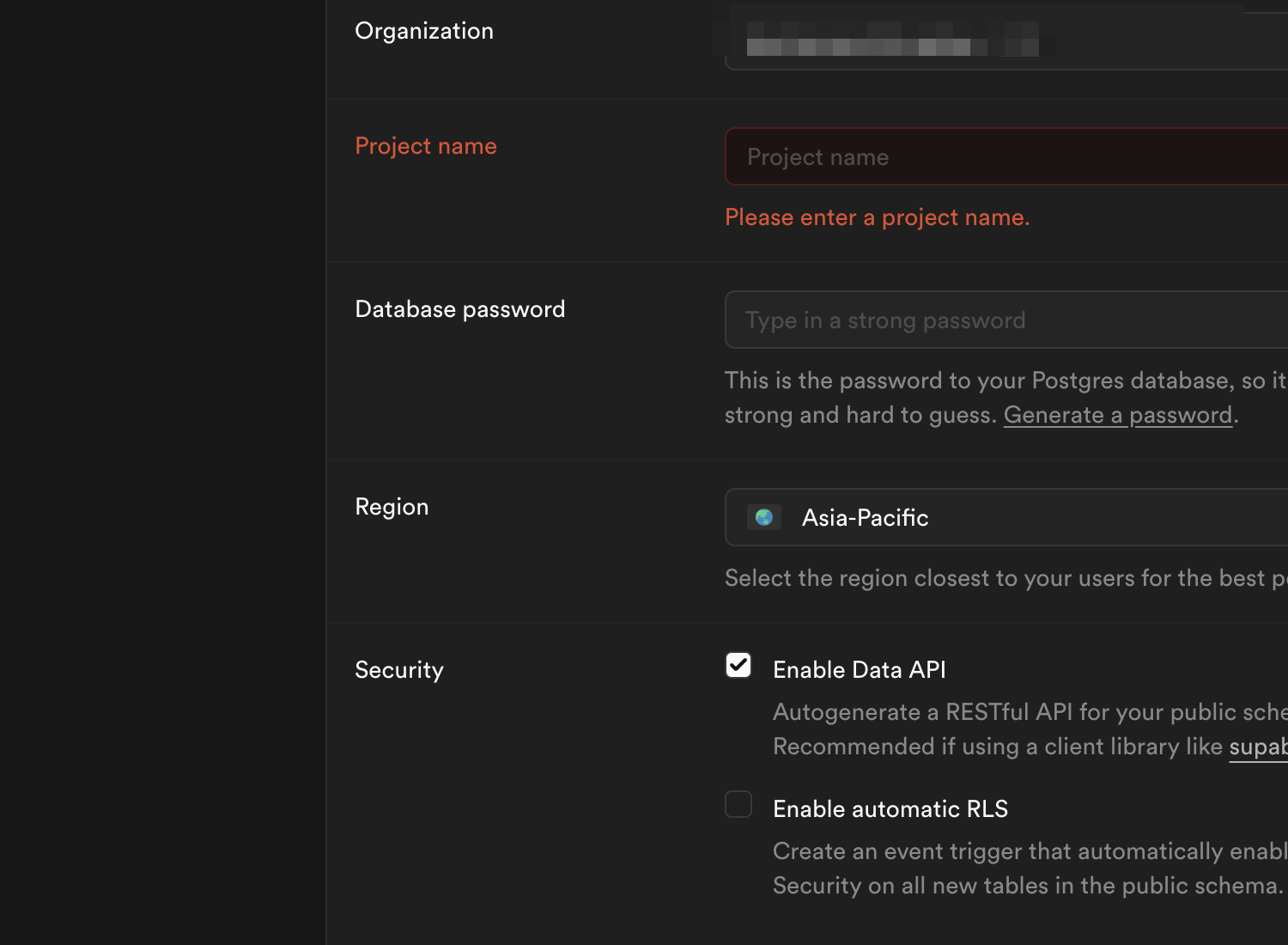
- Click "New Project" and give it a name (e.g. "jizailog-gps").
- Choose a region closest to you for lowest latency.
- Set a secure database password (you won't need to enter this in the app).
- Wait for the project to finish initializing (usually under a minute).
Run the Database Schema
- In your Supabase dashboard, go to SQL Editor (left sidebar).
- Click "New query".
- Copy and paste the entire SQL below into the editor.
- Click "Run" (or press Ctrl+Enter).
- You should see "Success. No rows returned" — that means all tables were created.
-- =============================================
-- JizaiLog GPS Database Schema
-- Run this in YOUR Supabase SQL Editor
-- =============================================

-- run_sql() — allows worker to auto-migrate via rpc()
CREATE OR REPLACE FUNCTION run_sql(query text) RETURNS void
LANGUAGE plpgsql SECURITY DEFINER AS $
BEGIN EXECUTE query; END;
$;

REVOKE ALL ON FUNCTION run_sql(text) FROM PUBLIC;
REVOKE ALL ON FUNCTION run_sql(text) FROM anon;
GRANT EXECUTE ON FUNCTION run_sql(text) TO service_role;

-- Schema version tracking
CREATE TABLE schema_version (
    version     INTEGER NOT NULL PRIMARY KEY,
    name        TEXT NOT NULL,
    applied_at  TEXT NOT NULL
);

INSERT INTO schema_version VALUES (1, 'baseline', NOW()::TEXT);

-- Sessions — one row per recorded walk
CREATE TABLE sessions (
    id            UUID PRIMARY KEY,
    user_id       UUID NOT NULL,
    status        TEXT NOT NULL DEFAULT 'stopped',
    started_at    TIMESTAMPTZ NOT NULL,
    ended_at      TIMESTAMPTZ,
    point_count   INTEGER DEFAULT 0,
    discard_count INTEGER DEFAULT 0,
    distance_m    REAL DEFAULT 0,
    duration_s    INTEGER DEFAULT 0,
    created_at    TIMESTAMPTZ DEFAULT now()
);

CREATE INDEX idx_sessions_user ON sessions(user_id);

-- Points — raw GPS coordinates per session
CREATE TABLE points (
    id         UUID PRIMARY KEY DEFAULT gen_random_uuid(),
    session_id UUID NOT NULL REFERENCES sessions(id) ON DELETE CASCADE,
    ts         BIGINT NOT NULL,
    lat        DOUBLE PRECISION NOT NULL,
    lng        DOUBLE PRECISION NOT NULL,
    alt        DOUBLE PRECISION,
    accuracy   REAL,
    speed      REAL,
    heading    REAL,
    UNIQUE(session_id, ts)
);

CREATE INDEX idx_points_session_ts ON points(session_id, ts);

-- Device debug logs
CREATE TABLE device_logs (
    id          BIGSERIAL PRIMARY KEY,
    user_id     UUID NOT NULL,
    device_id   TEXT NOT NULL,
    platform    TEXT NOT NULL,
    ts          BIGINT NOT NULL,
    tag         TEXT NOT NULL,
    message     TEXT NOT NULL,
    app_version TEXT,
    created_at  TIMESTAMPTZ DEFAULT now()
);

CREATE INDEX idx_device_logs_user_ts ON device_logs(user_id, ts DESC);
CREATE INDEX idx_device_logs_device ON device_logs(device_id, ts DESC);

-- Session comments (chat)
CREATE TABLE session_comments (
    id          UUID PRIMARY KEY,
    session_id  UUID NOT NULL REFERENCES sessions(id) ON DELETE CASCADE,
    user_id     UUID NOT NULL,
    content     TEXT,
    image_path  TEXT,
    created_at  BIGINT NOT NULL
);

CREATE INDEX idx_comments_session ON session_comments(session_id, created_at);

-- Comment read tracking
CREATE TABLE comment_reads (
    session_id   UUID NOT NULL REFERENCES sessions(id) ON DELETE CASCADE,
    user_id      UUID NOT NULL,
    last_read_at BIGINT NOT NULL,
    PRIMARY KEY (session_id, user_id)
);

-- Per-session sharing
CREATE TABLE session_access (
    session_id UUID NOT NULL REFERENCES sessions(id) ON DELETE CASCADE,
    user_id    UUID NOT NULL,
    granted_by UUID NOT NULL,
    created_at TIMESTAMPTZ DEFAULT now(),
    PRIMARY KEY (session_id, user_id)
);

CREATE INDEX idx_session_access_user ON session_access(user_id);

-- Enable Row Level Security on all tables
ALTER TABLE schema_version ENABLE ROW LEVEL SECURITY;
ALTER TABLE sessions ENABLE ROW LEVEL SECURITY;
ALTER TABLE points ENABLE ROW LEVEL SECURITY;
ALTER TABLE device_logs ENABLE ROW LEVEL SECURITY;
ALTER TABLE session_comments ENABLE ROW LEVEL SECURITY;
ALTER TABLE comment_reads ENABLE ROW LEVEL SECURITY;
ALTER TABLE session_access ENABLE ROW LEVEL SECURITY;

-- No anon policies or grants needed — Worker uses service_role key
-- which bypasses RLS entirely.
Organization admins: Run this SQL once when setting up your shared database. Members just join your organization in the app — they connect automatically.
Get Your Credentials
- In your Supabase dashboard, go to Settings > API.
- Copy the Project URL (looks like
https://xxxxx.supabase.co). - Copy the service_role key (under "Service Role Key" — a long string starting with
eyJ...).
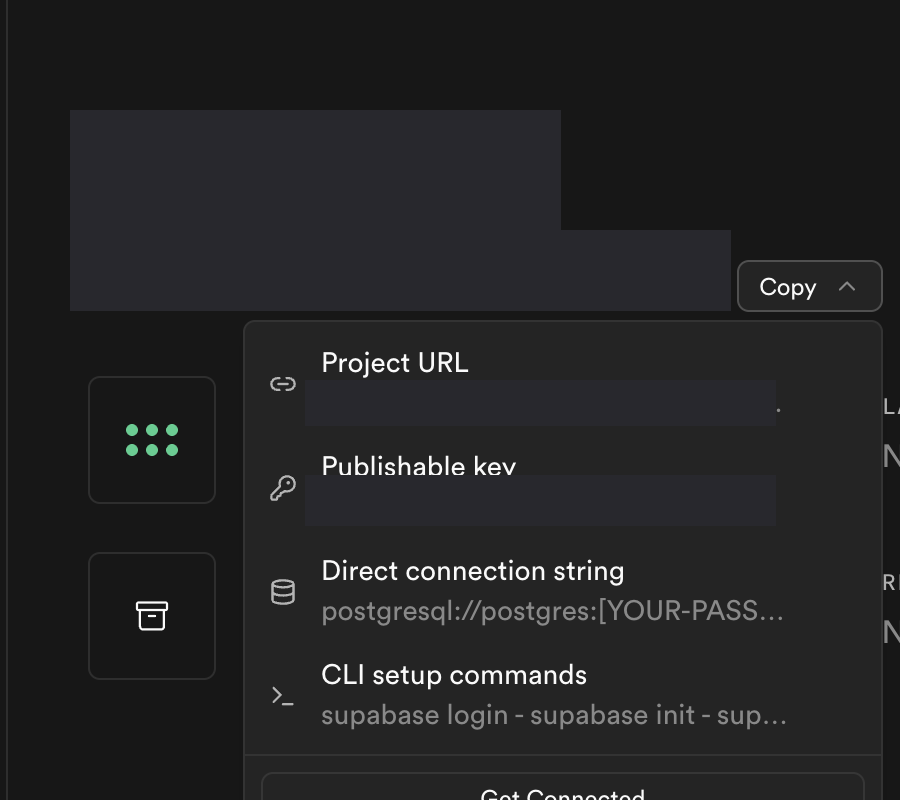
Important: The service_role key has full database access. Keep it private and never expose it in client-side code. It is stored securely on the server.
Configure in JizaiLog
- Open the JizaiLog app on your device.
- Go to Settings > Database Config.
- Paste your Project URL into the URL field.
- Paste your service_role key into the Key field.
- Tap Save.
Verify Connection
- Record a short walk (even a minute around your room works).
- Stop the recording.
- Check that the session appears in both the Local and Cloud tabs.
- If you see it in both — you're all set!
If sync fails, double-check your URL and service_role key. The most common issue is copying the wrong key.
Cost
Supabase Free Tier includes:
500 MB
Database storage
1 GB
File storage
50K
Monthly active users
More than enough for personal use. A typical dog walk session uses less than 50 KB of storage. Paid plans start at $25/month if you exceed these limits, but most individual users will never need to upgrade.